Home

Turning a keyword tool into an automated SEO strategist

A reinvention of Semrush's Keyword Manager — from a passive place to store keywords into a tool that collects, clusters, and prioritizes them into a ready-to-execute content strategy.

Building a semantic core is one of the most important yet time-consuming parts of SEO

Semrush is an all-in-one digital marketing platform used by 10 million users. Its Keyword Manager existed as a storage utility, a place to save keywords collected elsewhere. It gave users data, but no direction.

The opportunity

Transform Keyword Manager from a passive list tool into an end-to-end keyword strategy experience. One that automates the hardest parts of the workflow and delivers a prioritized content plan, not just a pile of data.

Led end-to-end design

I took the project from initial discovery all the way through launch, managing research, product strategy, Alpha and Beta phases, UX design, validation, and delivery.

Key Achievements

↑25%
Revenue
↑60%
Active users, opened a new acquisition channel
↑17%
User return rate after first interaction

The most valuable work was happening outside Semrush

SEO specialists had to leave Semrush to do their actual work (Keyword Cupid, WriterZen, Frase, Surfer, Ahrefs). Every one is a tool a Semrush user pays someone else for.

The painful loop

01

Collect

Pull keywords from many sources

02

Clean

Review and delete the irrelevant ones

03

Cluster

Group into topics manually or in a distrusted tool

04

Prioritize

Ranking it all in Excel by hand

05

Hand off

Turn it into content briefs

Our research revealed how SEO specialists work today and there's huge potential for automation. That's exactly what we're going to build.

The opportunity

Building a new tool that's intuitive and easy to use could drive significant growth, both in new traffic and in existing Semrush users adopting it.

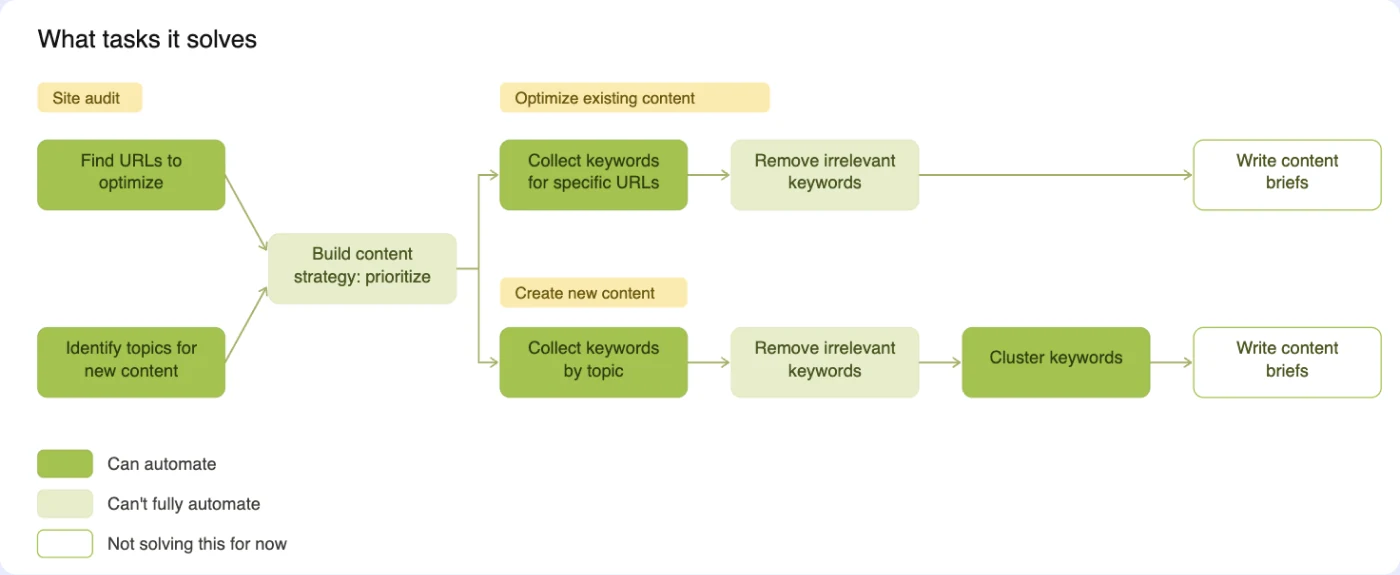
First step: break down the standard keyword workflow and find what could be automated

The first idea came from breaking down the standard keyword strategy workflow to see which steps could ideally be automated.

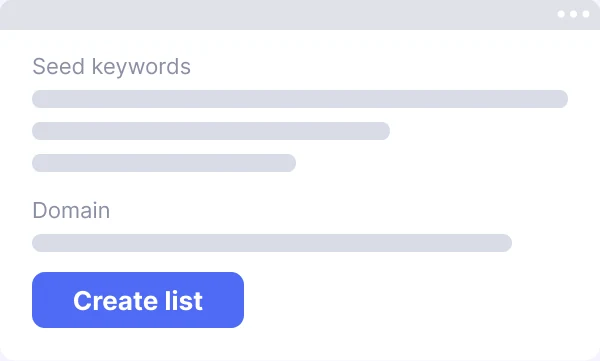
Breaking down the workflow showed which parts could be automated. That led to the idea of a Seed Keyword list: the user uploads keywords, and the tool collects the full keyword set and sorts it into groups.
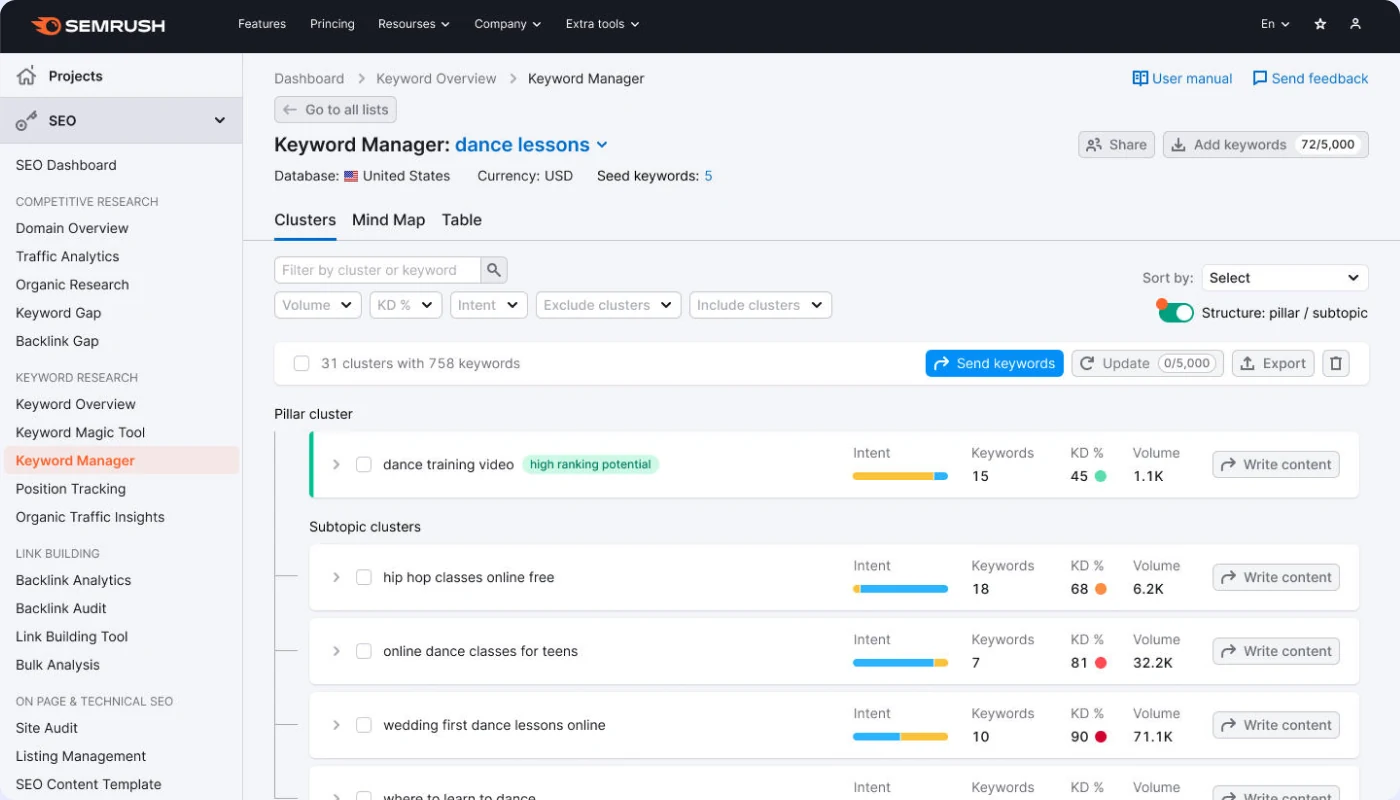
Testing the first MVP

A first MVP was launched to test it with real users and real data. What we found:

  • 7 of 12 users saw keywords that were completely irrelevant.
  • 48% of users didn't get the names "Pillar cluster" and "Subtopic clusters" — they're used to "Topics" and "Pages."
  • 100% of users said it really helped as long as the keywords were more relevant.
  • Users didn't want to jump to other tools and back. They wanted to sort, add, and delete keywords right inside the tool.

3 segments and one primary target

The product was designed for middle-level SEO specialists, while providing enough transparency for senior specialists to trust the results.
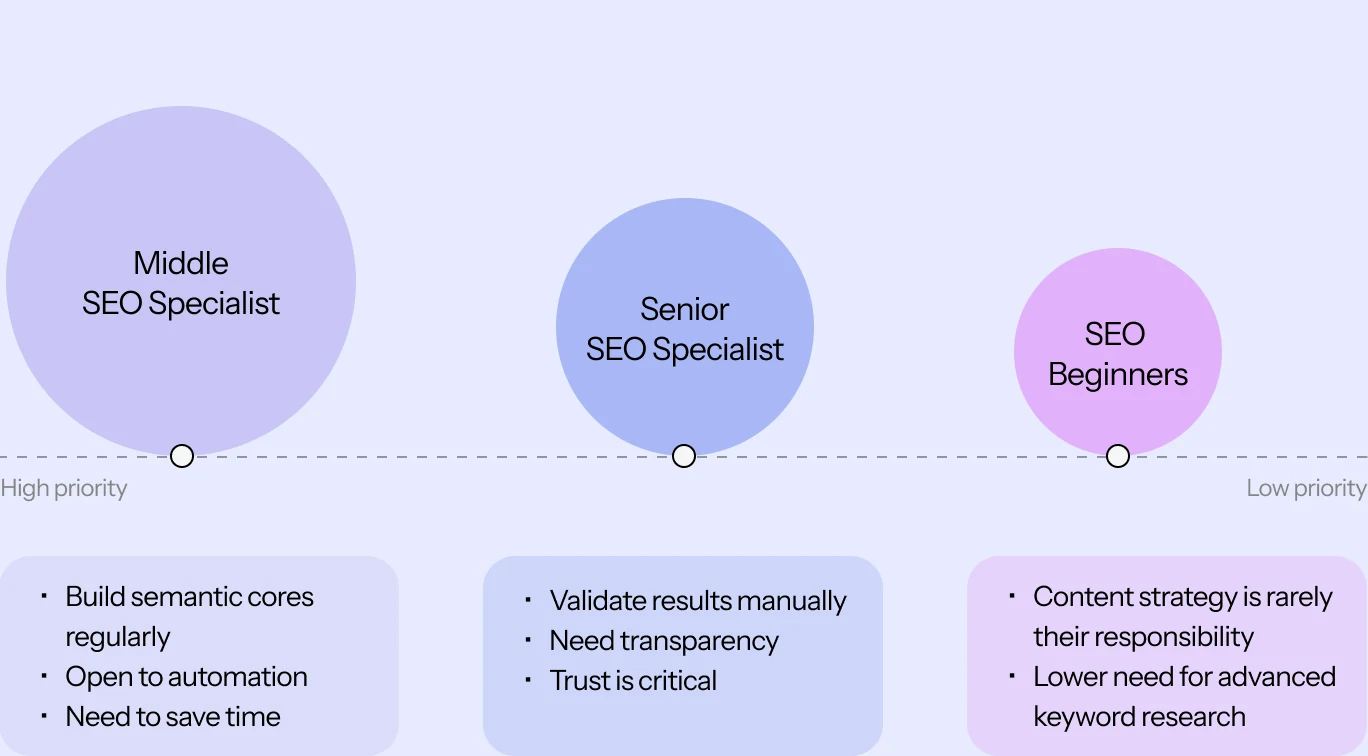
4 steps to the ideal product

Through several rounds of testing where the data kept getting better it became clear that users in this audience wanted a strategy layer to make their research simpler.

The build was split into 4 parts, so new functionality could be added carefully and gradually while keeping a close eye on the metrics.

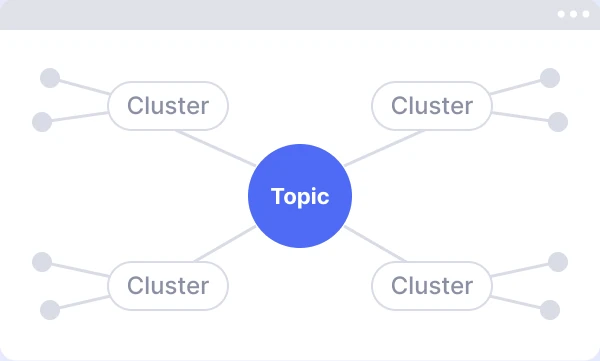
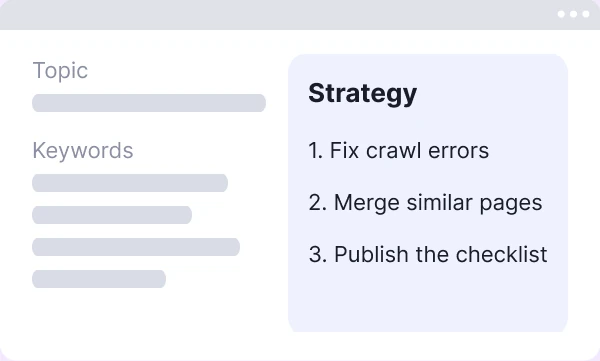
Clustering — generate the keyword list automatically Show the structure — surface how the keywords are organized Mind map — visualize topics and connections Strategy — turn it all into an actionable plan

4 decisions, each driven by what the data showed.

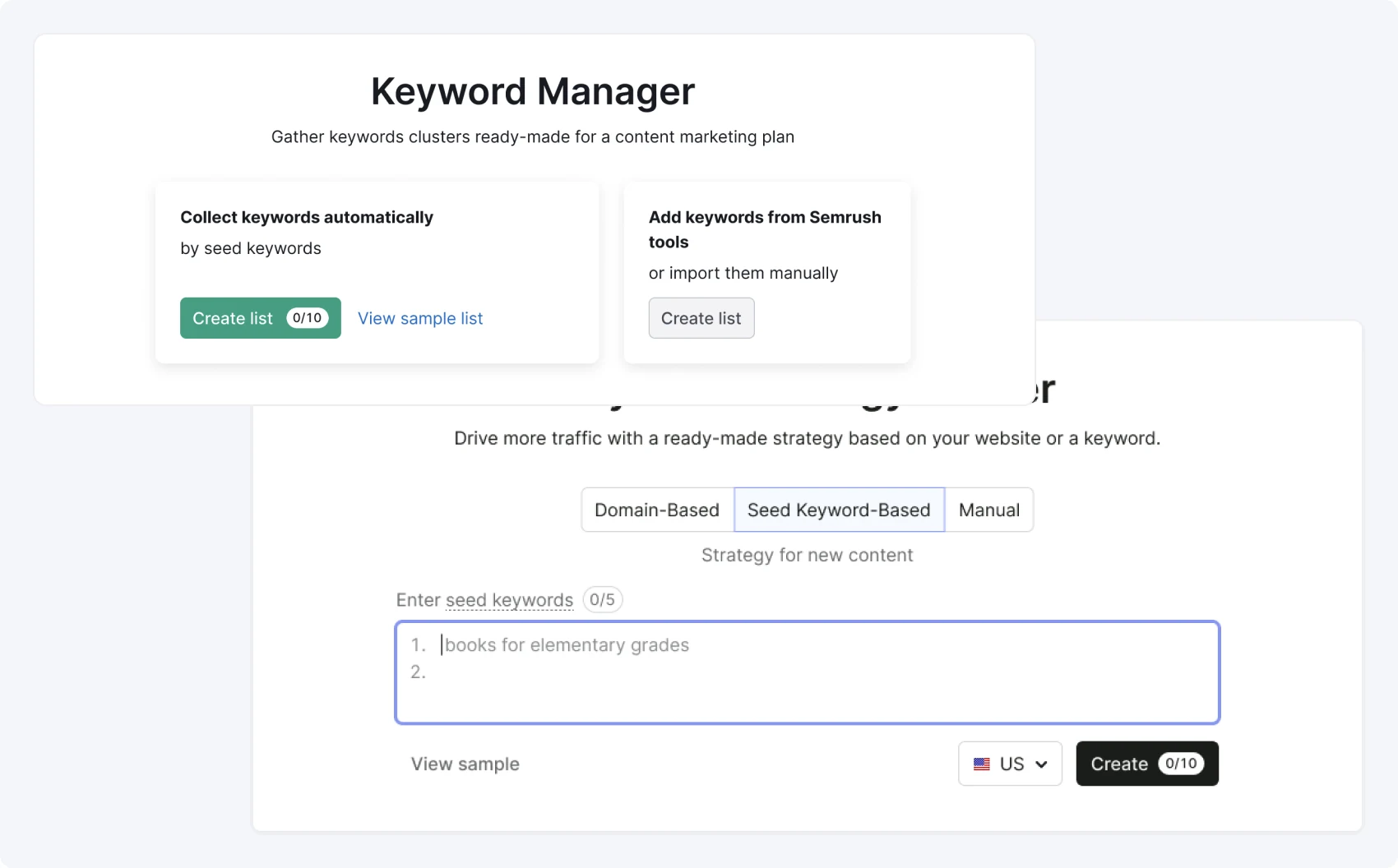
Reframe Keyword Manager to Strategy Builder

Users told us they wanted a ready-made strategy, not just a list to manage.

But 28% still wanted to build their list by hand. So we rolled it out in stages: the old "Create list" option stayed next to the new Strategy Builder, so users could switch at their own pace.

72% moved to the new flow within 1 year, conversion from "create list" to "open list" rose 43%.

I still want to be able to access the list I have just built up of keywords on the standart table.

User

Keyword Manager → Strategy Builder
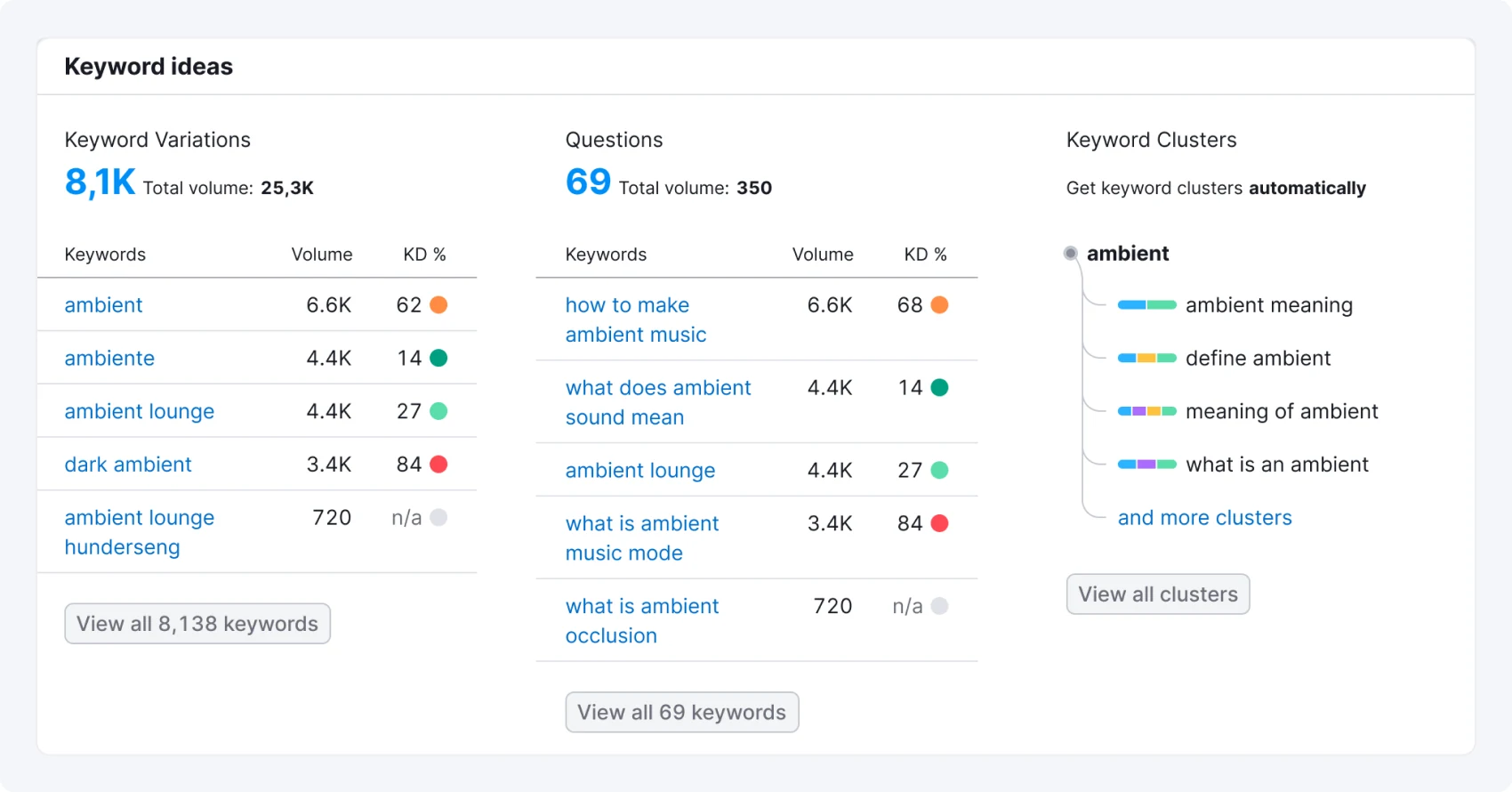
Keyword ideas — native Keyword Clusters column

Find a native traffic channel inside the product

The goal was to bring users into the new tool for whom this functionality would actually be relevant — not just any traffic. Mapping SEO workflows showed a natural fit: Keyword Overview, a neighboring Semrush tool where users already work closely with keywords.

The team partnered with that tool's owners to place the feature there. To avoid feeling like an ad in a dense report, "Keyword Clusters" became a native third column, styled like the existing ones, with a few real clusters visible and the rest blurred as a teaser.

The channel outperformed expectations

Impressions

312,877
users saw the widget
3,599,811
total impressions

Clicks on the widget (creating a list)

24,315
users clicked
54,885
total clicks

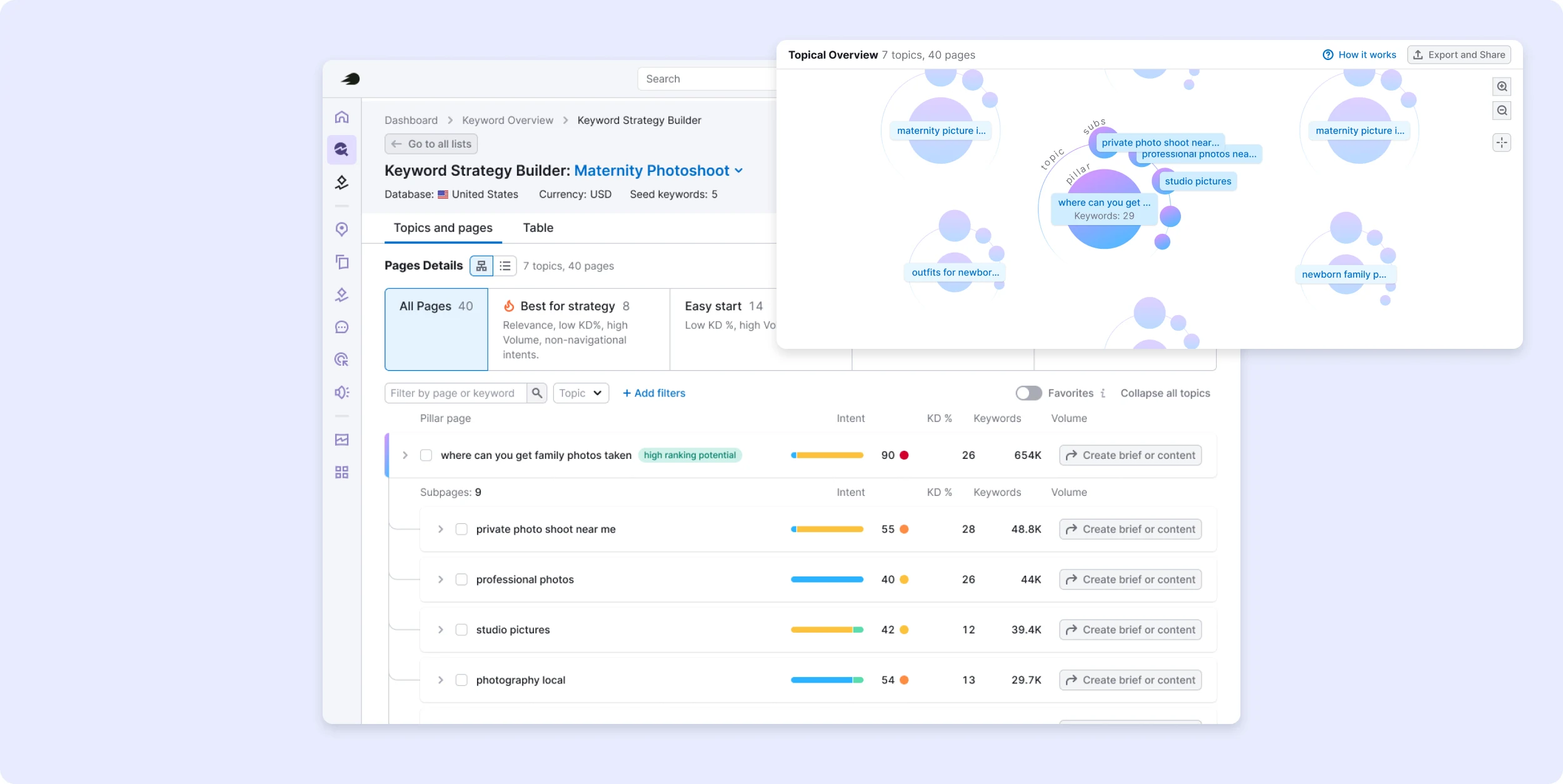
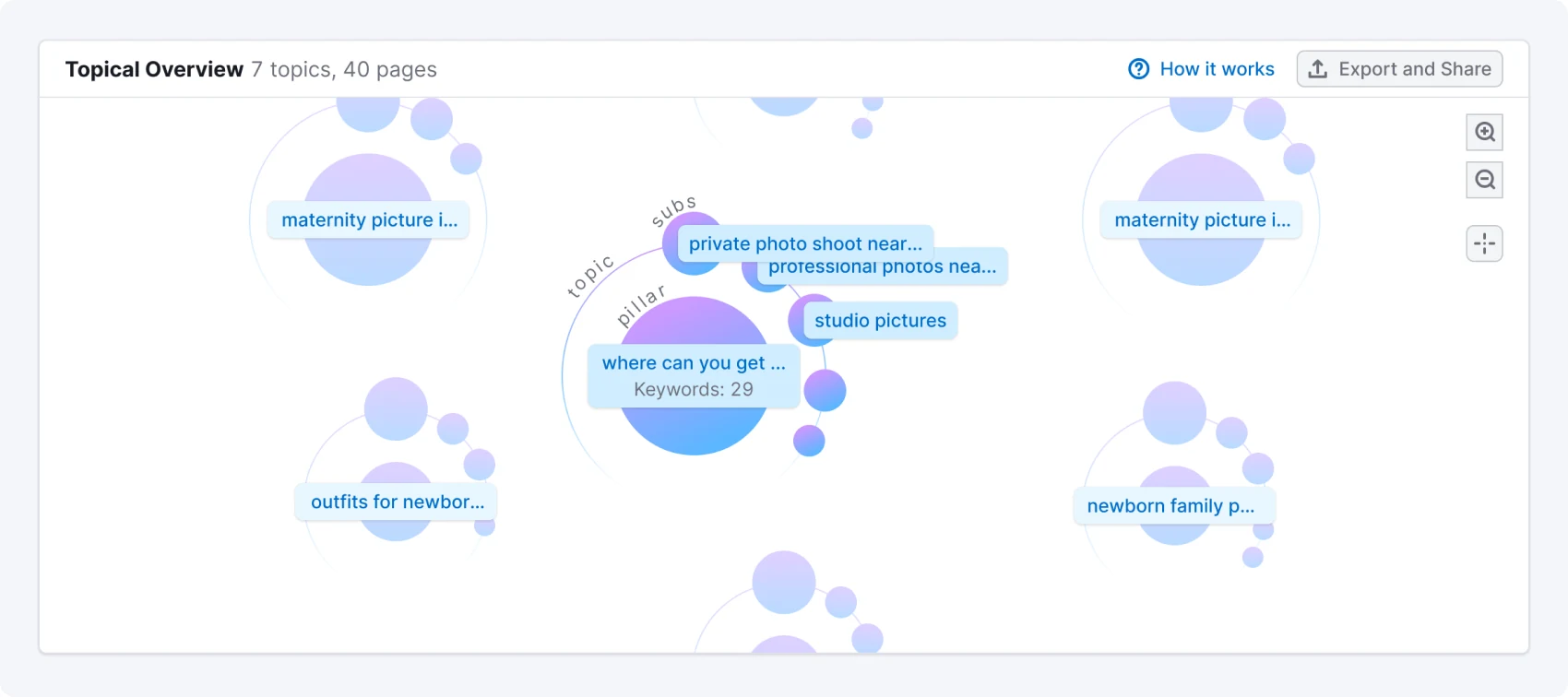
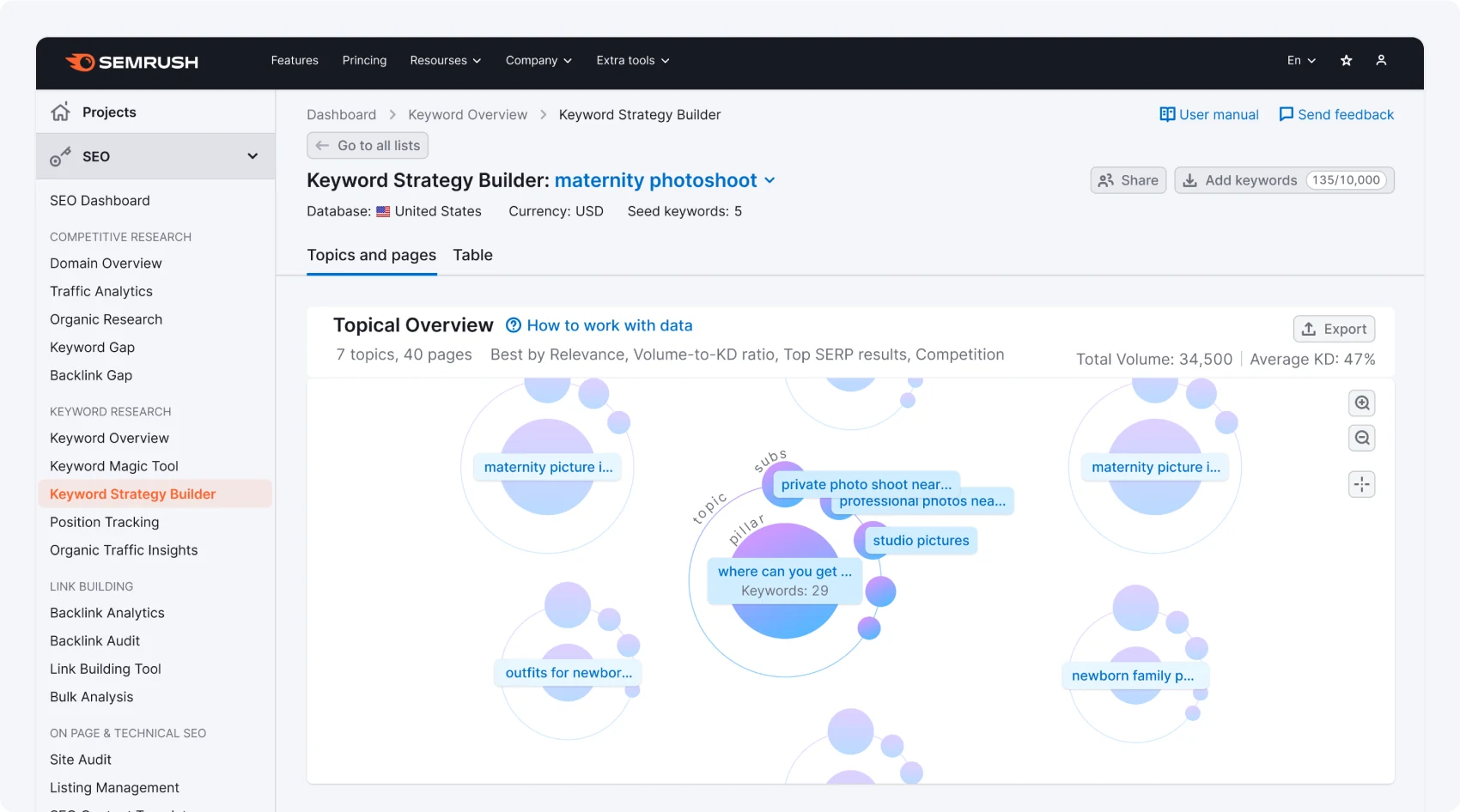
The Mind Map is a visualization of those clusters

Why build it: our core audience is beginners, so we're moving away from Semrush's typical tables toward visuals that match what a newcomer expects.

The goal is for it to look good enough to go viral — shareable on social media. Looking at the Mind Map, a user should think: "This is cool, I want to drop it into a deck for my manager or client."

Mind Map — Topical Overview

Visualize cluster structure

Users needed more than a flat keyword list — they needed to see how to actually organize content on their site.

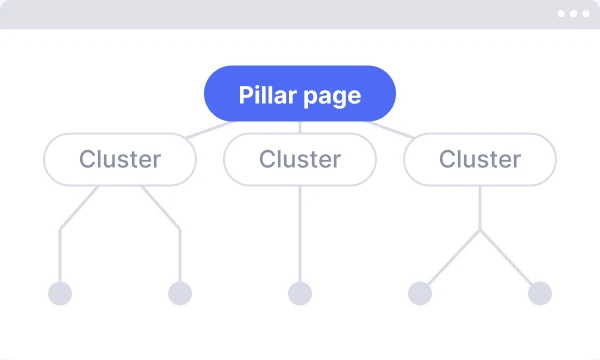
So clusters were reframed as "Topics": each Topic has one Pillar page and several Subpages.

The list result now opens into an interactive structure overview instead of a table, so users immediately see how their keywords are already organized into topics and nested pages.

Success was validated with a prototype test across both single- and multi-seed-keyword cases, targeting an 80% task-completion rate among existing and new keyword-tool users.

Keyword Strategy Builder — cluster structure overview

Challenges & how they were handled

Skeptical experts as test audience → treated as the toughest validation; designed for override, not perfection.

Users don't need less data — they need better-structured data with visible reasoning. The biggest adoption barrier for senior SEOs wasn't the interface. It was trust. Every design decision that made the logic transparent (editable clusters, metric context, named presets) directly contributed to retention.

Quality at the tail matters more than average quality. Even when 85–90% of clusters were correct, the remaining 10–15% drove disproportionate negative feedback. Fixing the algorithm was the highest-leverage design decision in the project — and it was made from data, not intuition.

Influence in action: when beta clustering feedback arrived, the default reaction was "tune and re-ship." I redirected the team to define and measure quality first — which surfaced the three-list-type insight and prevented us from over-optimizing for a number we could never hit.

Next steps

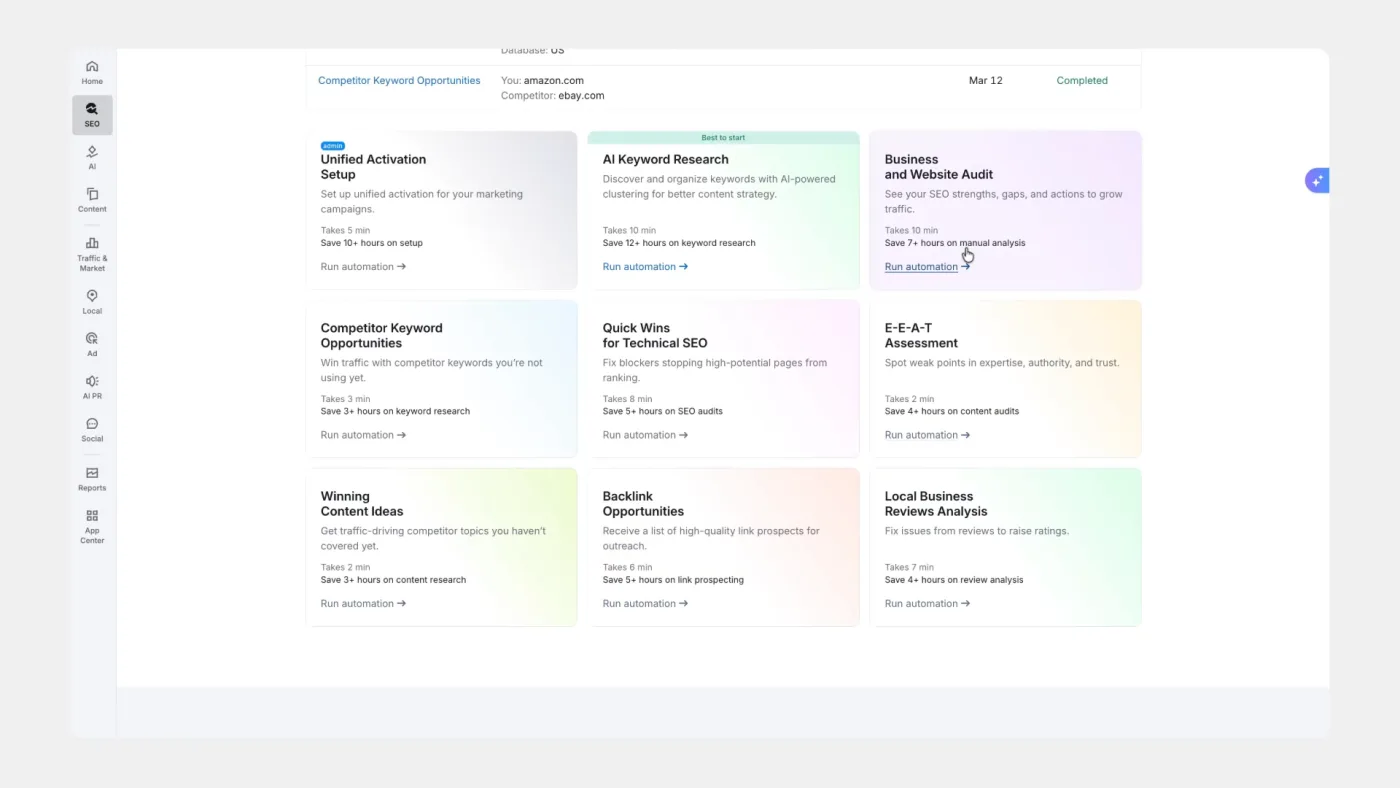
Add a strategy for what to do and how

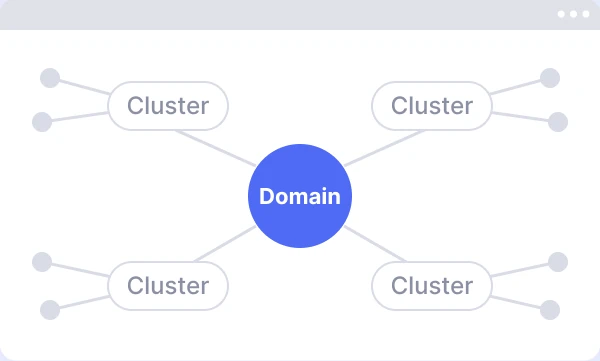
Add a new list type, by domain

Other cases